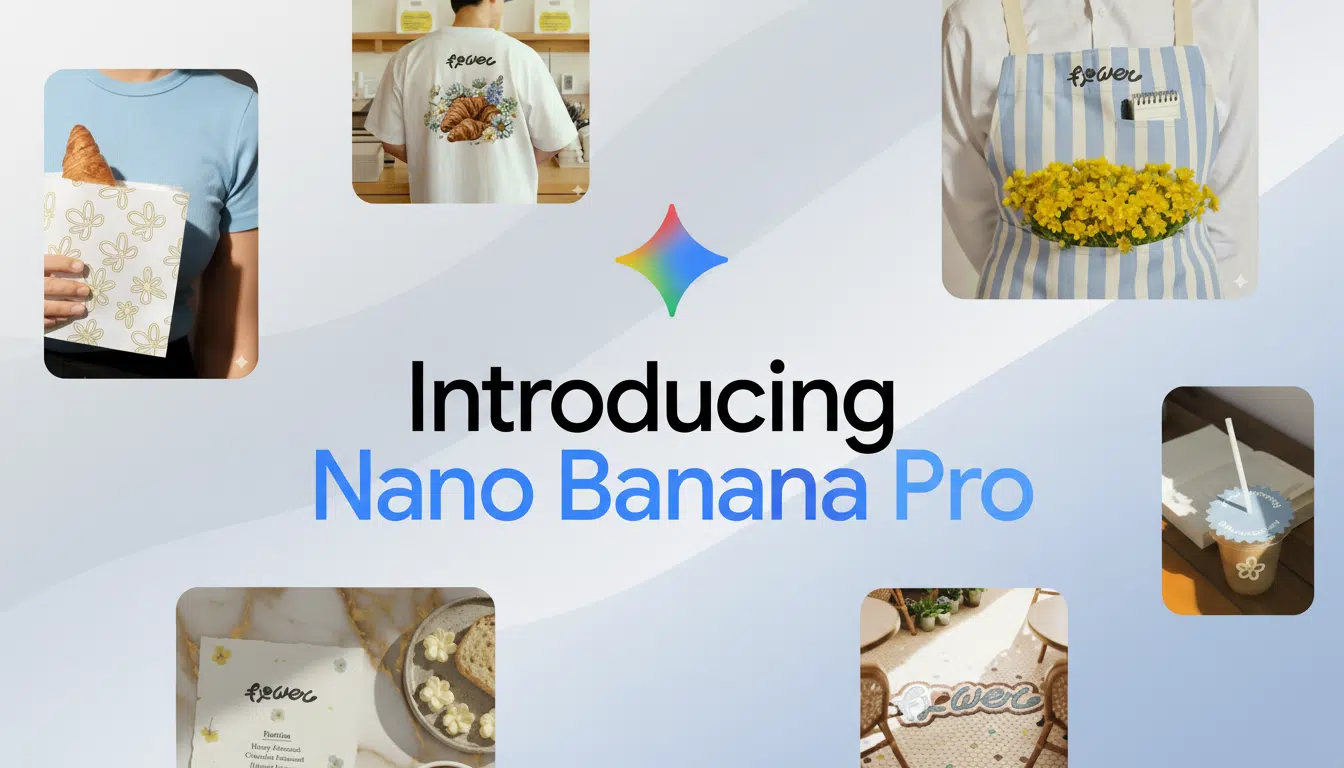
Google has introduced Nano Banana Pro, a next‑generation AI image generator powered by the Gemini 3 Pro Image model. Early testers report noticeably sharper text, cleaner layouts, and more capable editing tools, making previously complex design tasks feel far more approachable for everyday creators.
What Nano Banana Pro is
Nano Banana Pro is the upgraded version of the original Nano Banana image model, now built on Gemini 3 Pro rather than Gemini 2.5 Flash. It focuses on stronger reasoning, higher‑quality visuals, and far better handling of text directly inside images, such as posters, social cards, and UI mockups.
Nano Banana Pro is available globally in the Gemini web and mobile apps, with free users getting a limited pool of daily generations and paid Google One tiers (AI Plus, AI Pro, AI Ultra) receiving higher limits and priority access.
How to switch to Nano Banana Pro
On mobile, open the Gemini app, tap “Create image,” then check the model selector in the lower right of the prompt box. If it shows Flash 2.5, switch it to Thinking 3 Pro for both image generation and reasoning, and your prompts and edits will automatically route through Nano Banana Pro until you change it back.
On the web, the flow is similar: go to the image creation interface, open the model chooser beneath the prompt area, and select Thinking 3 Pro. Once enabled, Pro remains the default for image generation and editing until you toggle it off, so any precision‑heavy work like dense layouts or small text will use the upgraded model.
How to tell you’re on Pro
You can usually tell Nano Banana Pro is active if multi‑line text renders consistently, small type remains legible, and multi‑step layout edits behave predictably. When you exceed your Pro quota, Gemini may silently fall back to the original model, which often shows more inconsistent lettering and less reliable layout preservation inside images.
If you notice a sudden drop in quality—especially wobbly text or broken spacing—reopen the model selector to confirm you’re still on Thinking 3 Pro, or wait for your Pro quota to reset before attempting fine‑grained typography or data‑heavy visuals again.
What Pro improves for text and editing
Text rendering is the standout upgrade: posters, flyers, social tiles, and UI mocks that used to warp or scramble letters now maintain spacing, shape, and capitalization much more reliably. This makes it practical to request things like conference schedules, structured cards, or layouts with QR placeholders and then adjust typography without the whole design collapsing.
Reasoning improvements mean Pro can turn messy prompts into structured compositions, convert bullet lists or tables into clear infographics, and apply precise modifications—removing objects, relighting a scene, or changing labels—while keeping the rest of the image stable. Stronger world knowledge also helps it pick more relevant labels, place names, and chart styles, though any factual content should still be double‑checked before publishing.
Availability and rollout details
Google lists Nano Banana Pro as available worldwide through Gemini, but limits and speed vary by account type. Free accounts get a smaller pool of Pro generations, while Google One AI Plus, AI Pro, and AI Ultra tiers unlock larger caps and faster responses, particularly during peak demand.
Enterprise and Workspace rollouts can be staggered, and admins may restrict or disable generative tools for some users. In practice, this means certain regions, organizations, or account classes may see Nano Banana Pro later than others, or have access only on selected products like NotebookLM or Workspace integrations.
Tips for better Pro results
For best results, be explicit: specify aspect ratio, resolution, color palette, typography, and any brand or style constraints, and include a reference image if you already have a visual system to match. Clear instructions about what must stay fixed—such as “only change the headline; keep the background and logo”—help Pro make surgical edits without introducing unwanted variations.
Work in stages: use fast models like Flash 2.5 for quick ideation and rough composition, then switch to Thinking 3 Pro when you need tight layout control, tiny text, or data‑rich visualizations. Iterating from draft to refinement to targeted corrections lets the Pro model focus its strengths where they matter most.
Safety, watermarking, and rights
Nano Banana Pro images include SynthID watermarking and metadata, a DeepMind‑developed approach that embeds imperceptible signals for provenance and later detection or auditing of AI‑generated content. This helps platforms, researchers, and downstream tools recognize AI imagery without affecting how it looks to viewers.
Before using generated content commercially, it remains important to comply with content policies, secure rights to any trademarks, and ensure rights‑of‑publicity permissions where required. Users should also avoid sensitive categories, especially material likely to offend or content that could be seen as targeting people under 16.
Troubleshooting common setup issues
If Thinking 3 Pro does not appear in the model list, update the Gemini app, sign out and sign back in, clear the cache, or try accessing Gemini in a desktop browser. In managed environments like Workspace, generative features may be disabled by an administrator, so testing with a personal account can help confirm whether access is being blocked centrally.
When quality dips mid‑session, particularly for typography and layout, Pro limits or automatic fallback are likely causes. Checking the active model and spacing out precision‑heavy tasks until quotas reset will usually restore the higher and more consistent output users expect from Nano Banana Pro.