Netflix Ends Mobile Casting Support on Most Modern TVs
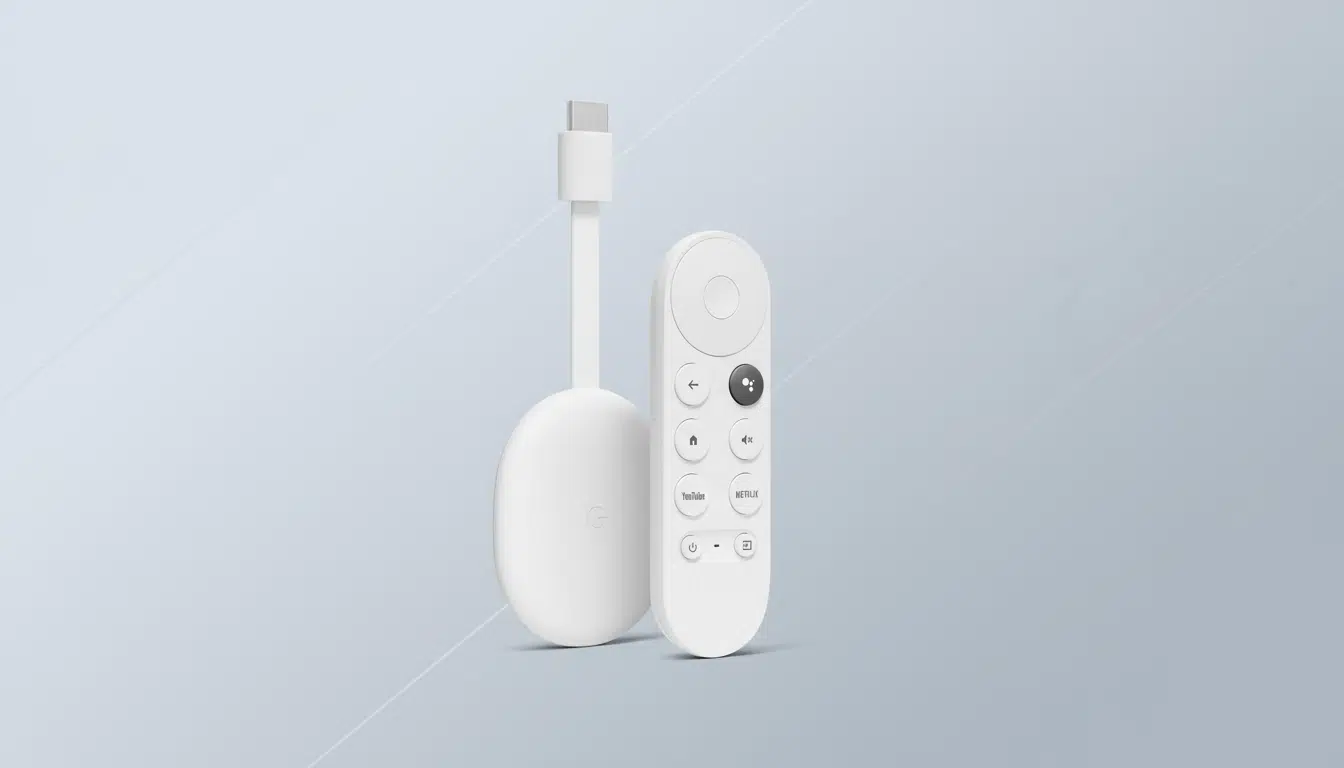
Netflix has quietly removed the ability to cast shows and movies from its mobile app to most modern TVs and streaming devices, as confirmed by recent user reports and updates to Netflix’s support pages. The change affects popular devices like Chromecast with Google TV, Google TV sets, Android TV models, and other remote-equipped streamers, which can no longer receive content cast directly from phones or tablets using the Netflix app. Instead, users must now use the Netflix app installed on their TV and navigate with the TV’s remote control.
What Changed and Where It Applies
- The casting feature remains available only on older Chromecast devices without remote controls, like the original Chromecast and Chromecast Ultra.
- Netflix restricts casting on newer devices that have native Netflix apps and remotes, directing users to use those apps directly instead of casting.
- Even on older devices where casting still works, it’s limited to subscribers on higher-priced ad-free plans; users on the ad-supported tier cannot use casting regardless of device.
- This shift seems to apply globally, impacting most modern smart TVs and streaming boxes that support Netflix natively.
Reasoning Behind Netflix’s Casting Policy Shift
Netflix has not issued a formal public explanation, but several motivations are evident:
- Control Over User Experience: Using native TV apps allows Netflix to fully control the interface, playback features, and content recommendations, providing a consistent experience across devices.
- Advertising and Measurement: Controlling playback through TV apps helps Netflix precisely manage ad placements, measure viewing metrics, and enforce concurrency rules, which are critical for advertising revenue and reporting accuracy.
- Support Simplification: A single entry point via the TV app simplifies troubleshooting issues related to bandwidth, device compatibility, and HDMI connections, reducing customer support complexity.
User Reactions and Practical Workarounds
Many users expressed frustration and confusion since Netflix made the change with little warning. Casting was a convenient way to start content on phones and seamlessly view it on large screens, especially for those who preferred browsing on mobile devices.
- Use the TV App: Users are now encouraged to open Netflix directly on their smart TV or streaming device and browse content using the provided physical or voice remote controls.
- Keep Casting for Other Apps: Other streaming services like YouTube, Prime Video, and Disney+ still support phone-to-TV casting, so the change is specific to Netflix.
- Add to My List via Mobile: Users can still add titles to their Netflix queue on mobile, which syncs across devices for easy playback via the TV app.
- Voice Search Assistance: Many TV platforms support voice assistants (Google Assistant, Alexa, Roku Voice) for quicker navigation without typing.
Impact on the Streaming Ecosystem
The shift signals a broader industry trend away from relying on accessory-style casting devices toward embracing full-fledged operating systems on TVs. Most streaming hours now occur on big screens, making native TV apps the logical focal point for content providers seeking to optimize user engagement and monetization.
While the removal of phone casting reduces a convenient multi-screen interaction mode, Netflix’s approach aims to improve playback reliability and unify user experiences. Over time, this may shape expectations for how streaming services should behave across modern smart TVs and connected devices.
What to Expect Moving Forward
- Users with older Chromecast devices can continue casting content from the mobile app, subject to subscription tier restrictions.
- Netflix may enhance TV app features for better browsing, personalization, and integration with smart home assistants.
- Consumers will likely adapt to using remote-based navigation on smart TVs as the primary way to access Netflix content.
- Netflix’s move could prompt other streaming platforms to evaluate their casting policies and app strategies for big-screen devices.
For now, Netflix users who relied on mobile-to-TV casting will need to adjust to this new standard, ensuring their TV apps stay updated and embracing remote control navigation as the primary interaction model.