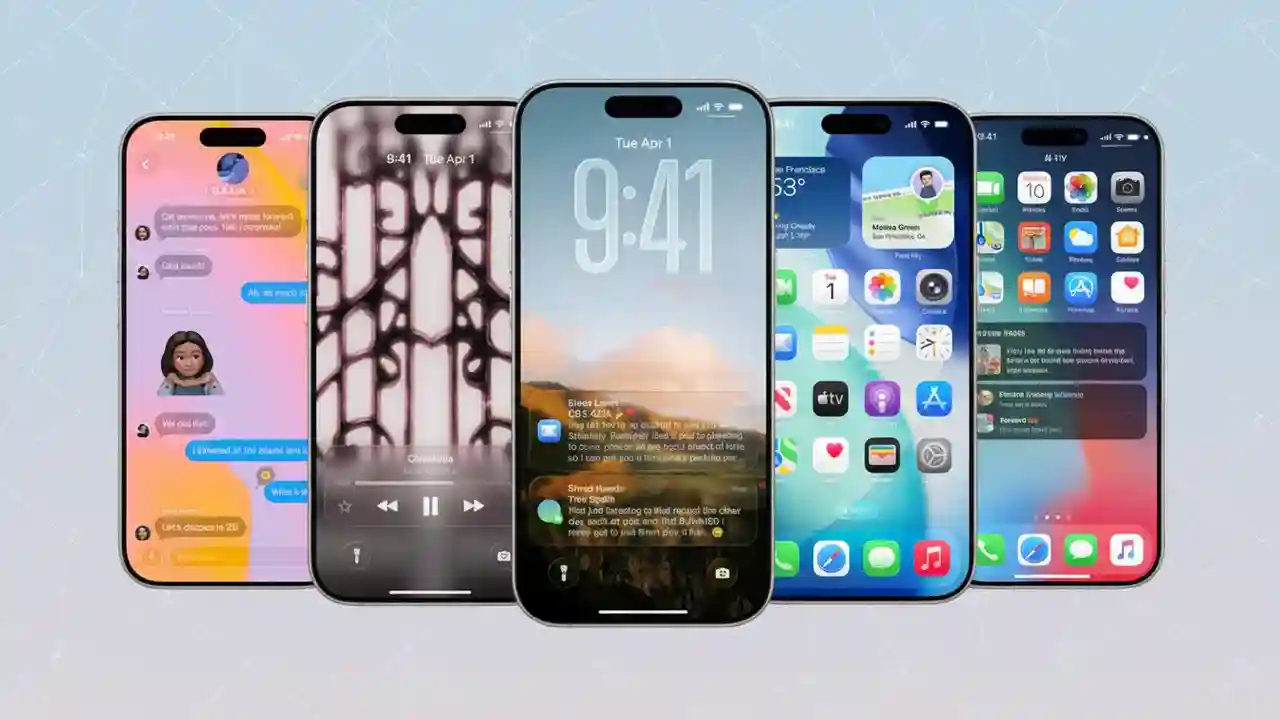
Apple’s iOS 26 reimagines Messages as a powerful group communication hub, introducing features that enhance coordination, simplify decisions, enable payments, and personalize chat environments. After an initial bug that fragmented some group chats into one-on-one threads was resolved, users are now experiencing smoother, richer messaging with typing indicators, built-in polls, Apple Cash integration, and customizable backgrounds.
Real-Time Typing Indicators in Group Chats
Unlike previous versions limited to one-on-one conversations, iOS 26 expands typing indicators to groups. Seeing multiple people type simultaneously reduces overlapping messages and confusion, especially during fast-paced chats coordinating events or solving logistical challenges. This subtle UI change fosters clearer, more efficient conversations.
Built-In Polls Streamline Group Decisions
Group polls integrated directly into Messages eliminate reliance on external apps or manual tallying. Users can create multi-option polls with transparent vote counts and instant results, helping families, friends, and teams quickly decide on dates, venues, or meal choices. The feature brings clarity and decisiveness to previously fragmented discussions.
Apple Cash Embedded for Seamless Payments
Apple Cash integration allows users to send and receive payments within group chats effortlessly. Whether splitting a dinner bill or contributing to group gifts, members settle balances without switching apps or sending money requests separately. Particularly in the U.S., where Apple Pay and Apple Cash are widely used, this smooth payment flow removes barriers in collective spending.
Customizable Chat Backgrounds and Easier Onboarding
Personalizing chat threads with unique images or colors now helps users identify conversations quickly and set a tone—be it formal project discussions or casual hangouts. An enhanced “add contacts” process simplifies inviting new members to ongoing chats, ensuring groups stay connected without restarting conversations or workflows.
Why These Features Matter for Everyday Group Coordination
Group messaging remains fundamental to modern life, connecting teams, families, and communities. While competitors like WhatsApp, Telegram, and Slack have long incorporated polls and presence indicators, iOS 26’s strength lies in unifying these capabilities within Apple’s tightly integrated ecosystem. With 2 billion Apple devices globally, iMessage serves as an informal intranet for many users, and native tools reduce app hopping and friction.
Addressing Early Bugs and Ensuring Stability
Some users initially faced a glitch where group messages split into individual chats, particularly in mixed-device groups. This fragmented context and confounded conversations. Apple’s swift updates have largely resolved this, restoring reliable, continuous group messaging — a critical foundation for any new feature rollout.
Privacy and Security in Enhanced Group Chats
iMessage continues to protect user privacy with end-to-end encryption between participants. Apple Cash employs Apple Pay’s biometric authentication and transactional transparency, safeguarding payments. While Apple has not yet introduced granular controls for toggling typing indicators per thread, user feedback indicates demand for finer customization options remains strong.
Comparing iOS 26 Group Chats with Competitors
| Feature | iOS 26 Messages | WhatsApp / Telegram | Slack / Splitwise |
|---|---|---|---|
| Typing Indicators | Real-time in groups | Yes | Presence but not typing |
| Built-in Polls | Multi-option with real-time results | Multi-option | Integrated |
| Payments | Apple Cash embedded | Limited third-party integrations | Separate apps (Splitwise) |
| Customization | Background images/colors | Basic | Workspaces and themes |
| Platform Integration | Seamless on iOS/macOS | Cross-platform | Work-oriented |
How to Use iOS 26 Group Chat Features
- Update to iOS 26 and open Messages app.
- In existing or new group chats, observe typing indicators during conversations.
- Create polls by tapping the new poll icon within the chat composer, add options, and send.
- Send or request Apple Cash payments directly inside the conversation.
- Personalize chat backgrounds via the thread’s info panel.
- Use the streamlined “add contacts” flow to invite new participants to ongoing groups.
The Bottom Line: Faster, Clearer, More Seamless Group Conversations
iOS 26’s Messages overhaul makes group chats more dynamic and user-friendly. The mixture of typing indicators, polls, embedded payments, and customizable visuals turns chaotic message streams into organized, collaborative spaces. Early bug fixes demonstrate Apple’s commitment to real-world readiness, making group messaging feel less like juggling noise and more like coordinated teamwork. This update anchors iMessage as a modern, integrated hub essential for daily communication.