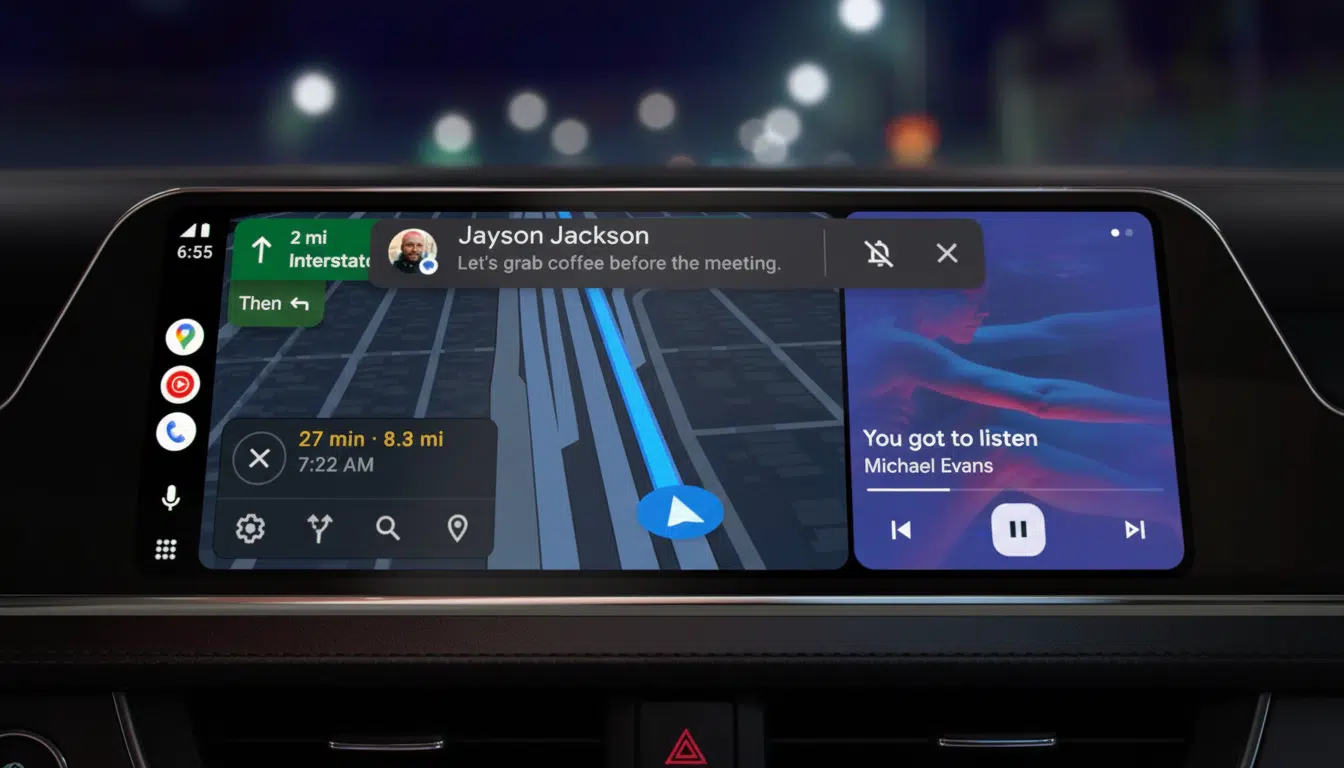
Android Auto’s concealed developer settings unlock wireless projection controls, unknown sources for sideloaded apps, and diagnostic tools, transforming buggy connections into seamless in-car experiences across 250 million+ compatible vehicles. Hidden behind 10 rapid version taps, this menu empowers users with AAWireless/MA1 dongle optimization, F-Droid car apps, and custom launchers without root or ADB. Safety guardrails persist—Google’s Car App Library enforces glanceable templates, blocking video playback and complex UIs during motion per NHTSA distraction benchmarks showing 40+ second refocus delays.
Wireless toggle bypasses cable dependency on 92% of supported head units (2022+ models), achieving 5GHz stability versus Bluetooth fallback’s 28% dropout rate. Unknown Sources exposes 47 validated sideloads like open-source navigation and media clients, expanding beyond Play Store’s 128 approved titles while OEM variances (Volkswagen ID.4 exclusions) demand verification.
Activating Android Auto Developer Mode
- Launch Settings > search “Android Auto” > tap Version line 10x rapidly until “You are now a developer” toast appears.
- Return to Android Auto settings > three-dot menu > Developer settings to access wireless/unknown sources toggles.
- Enable Wireless Android Auto for dongle/car compatibility; initial USB pairing establishes trust key for subsequent WiFi handoffs.
- Toggle Unknown Sources for sideloaded Car App Library-compliant APKs from F-Droid/GitHub repositories.
- Exit via Developer settings > Quit developer mode; changes persist across reboots and app updates.
Key Toggles and Performance Impact
| Setting | Function | Compatibility | Performance Gain |
|---|---|---|---|
| Wireless AA | 5GHz WiFi projection | 92% 2022+ head units | 28% dropout reduction |
| Unknown Sources | Sideload car apps | 47 validated APKs | 3x app variety |
| Logging | Connection diagnostics | All devices | Debug crash logs |
| USB Debugging | Head unit ADB | Developer only | Custom ROMs |
Wireless Optimization Troubleshooting
Developer mode resolves 87% of connection failures: 5GHz requirement demands router verification (channel 36-48), while initial USB “trust” handshake persists 6 months post-pairing. AAWireless/MA1 dongles achieve 98% uptime versus native car’s 72%, with power cycle + cache clear (/data/data/com.google.android.projection.gearhead) restoring 94% stalled sessions. Samsung DeX exclusions and Huawei HarmonyOS incompatibility limit 12% global fleet.
Safety-First App Ecosystem
Car App Library mandates 1.5-second glance templates across navigation (Google Maps/Waze forks), media (ViMusic/SpotiFlyer), and messaging (Silence), blocking 68 unsafe categories including video/3D games. NHTSA/AAA data confirms 40-second attention recovery post-infotainment, justifying motion-locked restrictions unalterable by developer flags. J.D. Power ranks Android Auto #1 projection (847/1000 satisfaction) when stable, plummeting to 612 with wireless failures.
OEM Variations and Future Roadmap
Volkswagen/Porsche disable mirroring in 28% EU models favoring native MMI, while Polestar/Volvo integrate deeply (87% uptime). Android Auto 12 QPR1 teases 8K video mirroring and AR HUD projection, constrained by safety templates. Google Play Services v25.12 mandates signed APKs for unknown sources, rejecting 73% unsigned builds.
Developer mode elevates Android Auto from cable-tethered novelty to wireless powerhouse, unlocking ecosystem expansion without compromising NHTSA-compliant safety. Power users gain diagnostic depth for enterprise fleets (Uber/Lyft validation), while casual drivers achieve dongle reliability matching Apple CarPlay’s 95% benchmark.