If you’re still using Gemini by typing a question, reading the answer, and calling it a day, you’re leaving a lot on the table. Gemini has grown into something far beyond a question-and-answer machine. Whether you’re on the free version or a premium plan, here are 15 features you probably didn’t know existed.
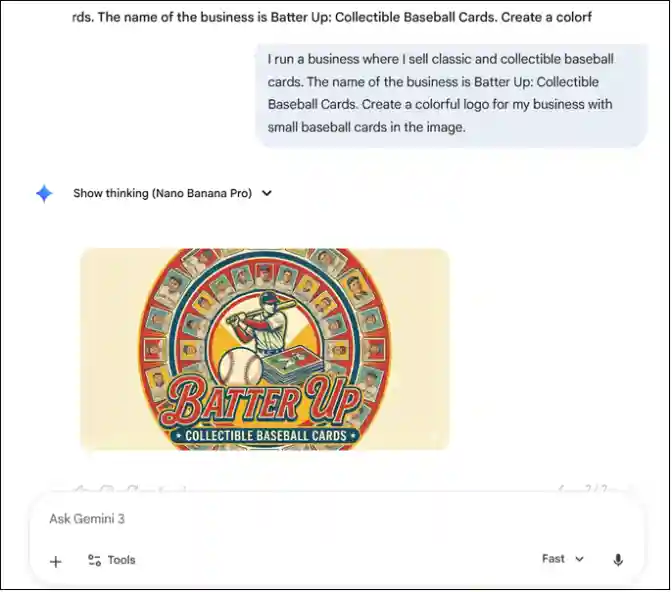
1 Generate AI Images
Describe what you want, and Gemini creates it. Art, graphics, illustrations, logos; it’s all built right in, so there’s no need to open a separate tool.
2 Create Videos
This one is for paid subscribers only. Describe the scene, the characters, and the visual style you want, and Gemini puts it together into an animated clip without you needing to do anything else.
3 Talk Instead of Type
Gemini has voice recognition built in, so all you have to do is speak naturally into your device, and it handles the rest, converting your words into a prompt and generating a response. For a lot of everyday tasks, it’s simply faster than typing.
4 Analyze Photos
To analyze a photo, just upload one and ask Gemini about it. It can identify landmarks, objects, and products, explain what’s happening in a scene, and answer specific questions about what it sees. It’s surprisingly useful in ways most people wouldn’t expect.
5 Analyze Web Pages
If you’re using Chrome, Gemini can read whatever page you’re currently on. Summarize an article, get a concept explained, or ask specific questions about the content without having to read through all of it yourself.
6 Verify Information Through Sources
AI getting things wrong is a real concern, and Gemini knows it. That’s why it shows sources alongside its responses, so you can verify the information yourself rather than just taking everything at face value.
7 Connect to Google Apps
Gemini integrates with Gmail, Google Drive, Calendar, Photos, and YouTube, meaning your personal emails, files, and appointments are all within reach in one place. For anyone already living in the Google ecosystem, this is probably the most practical feature on the entire list.
8 Build Custom AI Assistants
Need a writing coach, a coding helper, or a study partner? Gemini Gems has you covered. It lets you build a specialized assistant around the specific tasks you need. Set your instructions once, and it follows them every time, no further explanation needed.
9 Use Thinking Mode
If your question involves logic, detailed planning, or complex analysis, Thinking Mode tells Gemini to work through it step by step before responding. The result is noticeably more accurate and thorough than a standard response.
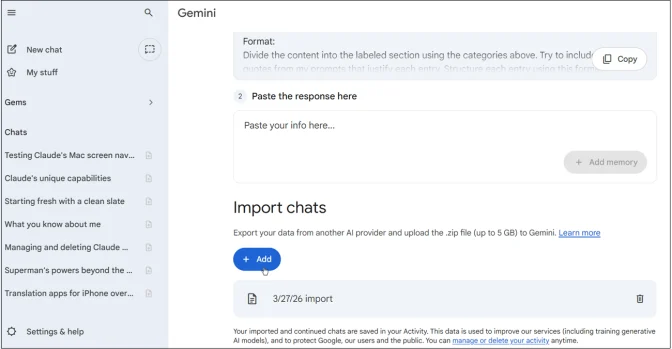
10 Import Memories and Chat History
Switching AI tools doesn’t have to mean starting from scratch. Gemini lets you import memories and previous conversations from other platforms, so everything you’ve already built up carries over and you pick up right where you left off.
11 Choose Different AI Models
Not every task needs the same processing power, and Gemini gets that. Flash and Flash-Lite handle quick everyday queries, while Pro is built for deeper research and complex problem-solving. Matching the right model to the right task simply gets you better results.
12 Summarize Documents
Upload any PDF or document, and Gemini pulls out what matters. No need to read through everything yourself; you can even ask targeted questions about the content and get straight to the information you actually need.
13 Listen to Responses
Gemini has a built-in text-to-speech feature that reads responses out loud. So even when you’re too busy to sit down and read, you can keep moving and absorb everything just by listening.
14 Have Live Conversations
This is voice recognition and text-to-speech combined. You speak, Gemini responds out loud, and the whole experience feels less like using a tool and more like talking to someone who actually knows what they’re talking about.
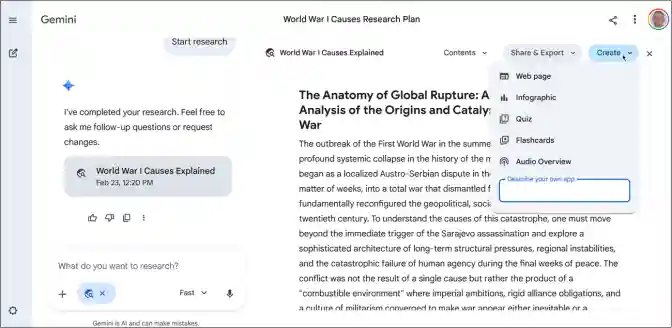
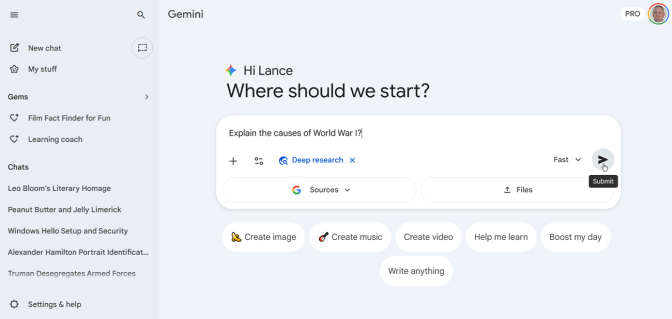
15 Perform Deep Research
If you’re dealing with something more complicated, Deep Research goes well beyond a quick answer. It gathers information from multiple sources, builds detailed reports, and puts it all together into a comprehensive summary. It’s one of the features that makes Gemini genuinely useful for serious work.
More Than Just a Chatbot
At this point, Gemini is no longer just a chatbot; it’s a built-in assistant and mentor at the same time. You just have to dig through its features to unleash its full potential, and these 15 are a good place to start.