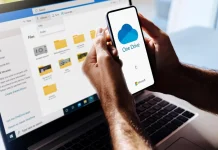
Backing up your phone feels unnecessary until the worst-case scenario occurs. Once you lose your phone, fail to update, or even just damage it, all the photos and memories you’ve kept through the years can be wiped away in an instant. You probably won’t take it too seriously until it happens to you at least once, but the good thing is, you don’t have to experience it first; it’s entirely preventable.
Recommended Phone Backup Schedule Based on Usage Type
The question of how often you should back up your phone all comes down to how much you can afford to lose. The best backup is the one that’s already done before you need it.
➤ Weekly
Weekly backups are one of the most common practices for most people. So when something happens, you’ll only be losing a few days of your data at best, which is quite manageable, especially for light users who don’t consistently store new files or content.
➤ Daily
On the contrary, heavy users, or those who rely on their phones 90% of the time, have much more to lose, so a weekly backup may not be enough. Daily backups become the safer choice, and with the rise of modern smartphones, it’s also not that hard to do nowadays.
The latest iPhones and Android devices all have features that run in the background while you do your thing, so instead of backing it up manually every day, all you have to do is connect to the internet and let it automatically back up your data on its own.
➤ Immediately
While the first two options are quite useful, there are certain times when you just have to back up your files instantly. This might be before transferring to a new phone, before installing a major update, or after capturing photos and videos; you just cannot afford to lose. Nonetheless, these are the situations where losing data would hurt the most, and a quick backup beforehand costs almost nothing.
Cloud vs. Local Backup
Cloud backups are automatic, accessible, and can be done almost anywhere, which is probably why it is the best choice for most users. Apple and Google also let you manage what should be backed up. The only downside is cloud storage limits. If you’re using a free tier, it will most likely fill up quickly, so you may still need third-party services like OneDrive or Dropbox to back up everything.
If you would rather keep your data off the cloud, then a local backup is still a solid alternative. iPhones can be backed up directly to a computer through Finder or iTunes, while Android devices can be transferred manually or saved to an external drive. Although they require a bit of extra effort, the control they offer is still worth it.
Set It Up and Stop Thinking About It
Whatever you use, the best option is still the one that simply runs behind your everyday use. For most people, a weekly backup is enough; heavy users prefer daily, but immediate situations need immediate action. However, your goal remains the same: keep everything in one place so that when something goes wrong, you don’t lose the things you want to treasure the most.